
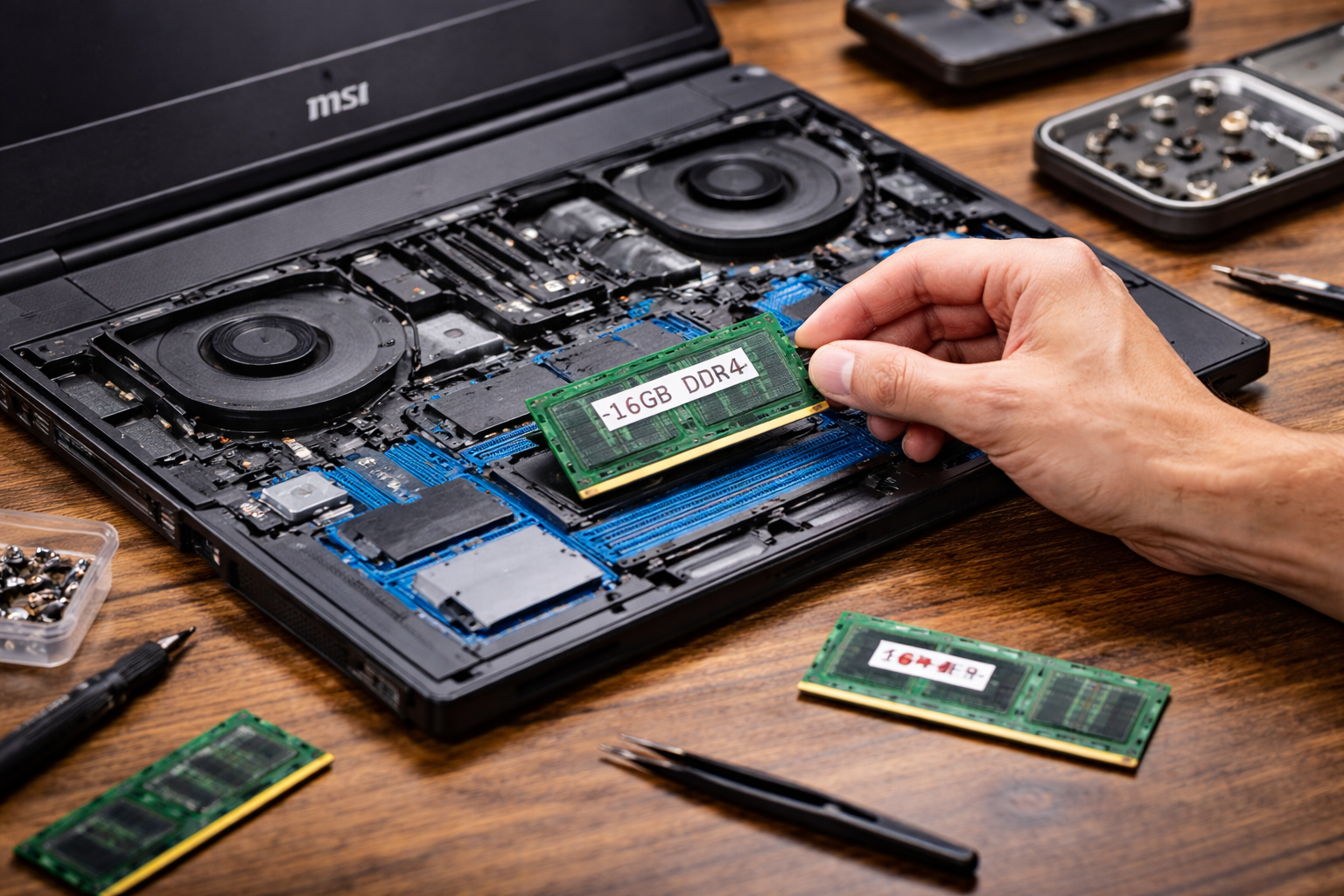
Yes, many MSI laptops are easy to upgrade with more RAM, especially gaming and performance-focused models. However, the level of upgradeability depends on the specific model, as some thinner or budget designs may have soldered memory.
If you’re buying a laptop for long-term use, RAM upgradeability can make a huge difference. It allows you to extend performance, handle heavier workloads, and delay the need for a full replacement.
In this guide, you’ll learn how MSI laptops handle RAM upgrades, which models are easiest to upgrade, and whether upgrading is worth it for your needs.
Introduction
Upgrading RAM can extend your laptop’s life and performance.
Why RAM Upgradeability Matters
RAM (Random Access Memory) directly affects how smoothly your laptop runs.
More RAM allows your system to:
- Handle multiple applications at once
- Run demanding software
- Reduce lag and slowdowns
- Improve gaming and editing performance
For many users, upgrading RAM is one of the easiest ways to boost performance without buying a new laptop.
MSI laptops often support RAM upgrades, making them attractive for long-term users.
Are MSI Laptops Designed for Upgrades?
MSI has a strong reputation for building upgrade-friendly laptops.
Unlike some brands that prioritize thin designs over flexibility, MSI often designs laptops with accessibility in mind.
Many MSI models include:
- Accessible RAM slots
- Removable back panels
- Expandable memory configurations
This design approach is especially common in gaming laptops.
Which MSI Laptops Are Easiest to Upgrade?
Not all MSI laptops are equal when it comes to upgradeability.
Gaming Laptops
MSI gaming laptops are typically the easiest to upgrade.
These include series like:
- Raider
- Katana
- Stealth
They often feature:
- Dual RAM slots
- Easily removable bottom panels
- Standard RAM modules
Gaming laptops are designed for performance and longevity, which makes upgrades more accessible.
Creator and Performance Laptops
MSI creator laptops also support upgrades in many cases.
These models balance performance and design.
They often include:
- Expandable RAM
- High maximum memory capacity
These laptops are great for professionals who need more memory over time.
Thin and Lightweight Models
Some MSI thin laptops prioritize portability over upgradeability.
These models may include:
- Soldered RAM
- Limited upgrade options
If upgradeability is important, always check the specifications before purchasing.
How Easy Is It to Upgrade RAM in an MSI Laptop?
For most MSI laptops, upgrading RAM is relatively simple.
Typical steps include:
- Power off the laptop
- Remove the bottom panel
- Locate the RAM slots
- Insert the new RAM module
- Reassemble the laptop
This process usually takes less than 30 minutes.
However, some models may require additional care or tools.
Tools Required for RAM Upgrade
Upgrading RAM in an MSI laptop usually requires minimal tools.
Common tools include:
- Small screwdriver
- Plastic pry tool
No advanced technical skills are needed for most upgrades.
Many users complete upgrades at home without professional help.
Dual-Channel Memory Advantage
Many MSI laptops support dual-channel memory configurations.
This means:
- Two RAM sticks work together
- Performance improves compared to a single stick
Upgrading to dual-channel RAM can boost performance in:
- Gaming
- Video editing
- Multitasking
MSI laptops often take full advantage of this feature.
Maximum RAM Capacity in MSI Laptops
MSI laptops typically support higher RAM capacities than many budget laptops.
Common limits include:
- 32GB
- 64GB
Some high-end models support even more.
This flexibility allows users to scale performance as needed.
Performance Gains from RAM Upgrades
Upgrading RAM can significantly improve system performance.
Benefits include:
- Faster application loading
- Smoother multitasking
- Better gaming performance
- Improved creative workflows
RAM upgrades are especially useful for:
- Video editors
- Programmers
- Designers
- Gamers
The performance difference can be noticeable immediately.
When Should You Upgrade RAM?
You should consider upgrading RAM if you experience:
- Slow performance
- Frequent lag
- System freezing
- High memory usage
Upgrading RAM can solve these issues without replacing the laptop.
It is one of the most cost-effective upgrades available.
MSI vs Other Brands in Upgradeability
MSI often provides better upgrade options compared to some competitors.
For example:
- Many ultrabooks from other brands use soldered RAM
- MSI gaming laptops usually include removable RAM
This gives MSI an advantage for users who want long-term flexibility.
Upgradeability adds value over time.
Risks of Upgrading RAM
Although upgrading RAM is generally safe, there are some risks.
Potential issues include:
- Using incompatible RAM
- Improper installation
- Warranty concerns
To avoid problems:
- Check compatibility
- Follow instructions carefully
- Use quality RAM modules
Proper preparation ensures a smooth upgrade process.
Does Upgrading RAM Void Warranty?
Warranty policies vary by model and region.
In many cases:
- Opening the laptop does not void the warranty
- Damage caused during upgrades may not be covered
It is always best to check MSI’s official guidelines before upgrading.
Storage vs RAM: Which Should You Upgrade First?
Some users wonder whether to upgrade RAM or storage.
The answer depends on your needs.
Upgrade RAM if you need:
- Better multitasking
- Faster performance
Upgrade storage if you need:
- More space
- Faster file access
In many cases, upgrading both provides the best results.
Travel Considerations for Upgraded Laptops
If you travel frequently, upgrades can improve performance on the go.
However, consider battery impact.
More RAM can slightly increase power usage.
If travel is important, you may want to learn more about Do MSI laptops have good battery life for travel? to understand how upgrades affect mobility.
Balancing performance and battery life is important for travelers.
Future-Proofing Your MSI Laptop
Upgrading RAM helps future-proof your device.
As software becomes more demanding, additional memory keeps your system relevant.
This reduces the need for frequent upgrades or replacements.
Future-proofing saves money in the long run.
Who Benefits Most from RAM Upgrades?
RAM upgrades are especially useful for:
- Gamers
- Content creators
- Students
- Professionals
These users often run demanding applications.
More RAM improves their experience significantly.
Who Might Not Need RAM Upgrades?
Some users may not need additional RAM.
These include:
- Casual users
- Web browsing users
- Basic office users
For these users, the default RAM may be sufficient.
Understanding your needs helps you avoid unnecessary upgrades.
Final Thoughts
MSI laptops are generally easy to upgrade with more RAM, especially in gaming and performance models.
Their upgrade-friendly design makes them a strong choice for users who want flexibility and long-term value.
While some thin models may limit upgrade options, most MSI laptops provide accessible RAM slots and high memory capacity.
If you value performance and future-proofing, MSI laptops offer a practical and upgradeable solution.
Summary
MSI laptops are typically easy to upgrade with more RAM, particularly in gaming and performance models. Many devices feature accessible RAM slots and support high memory capacities. Upgrading RAM improves performance, extends laptop lifespan, and enhances multitasking. However, users should verify model specifications and compatibility before upgrading to ensure the best results.