
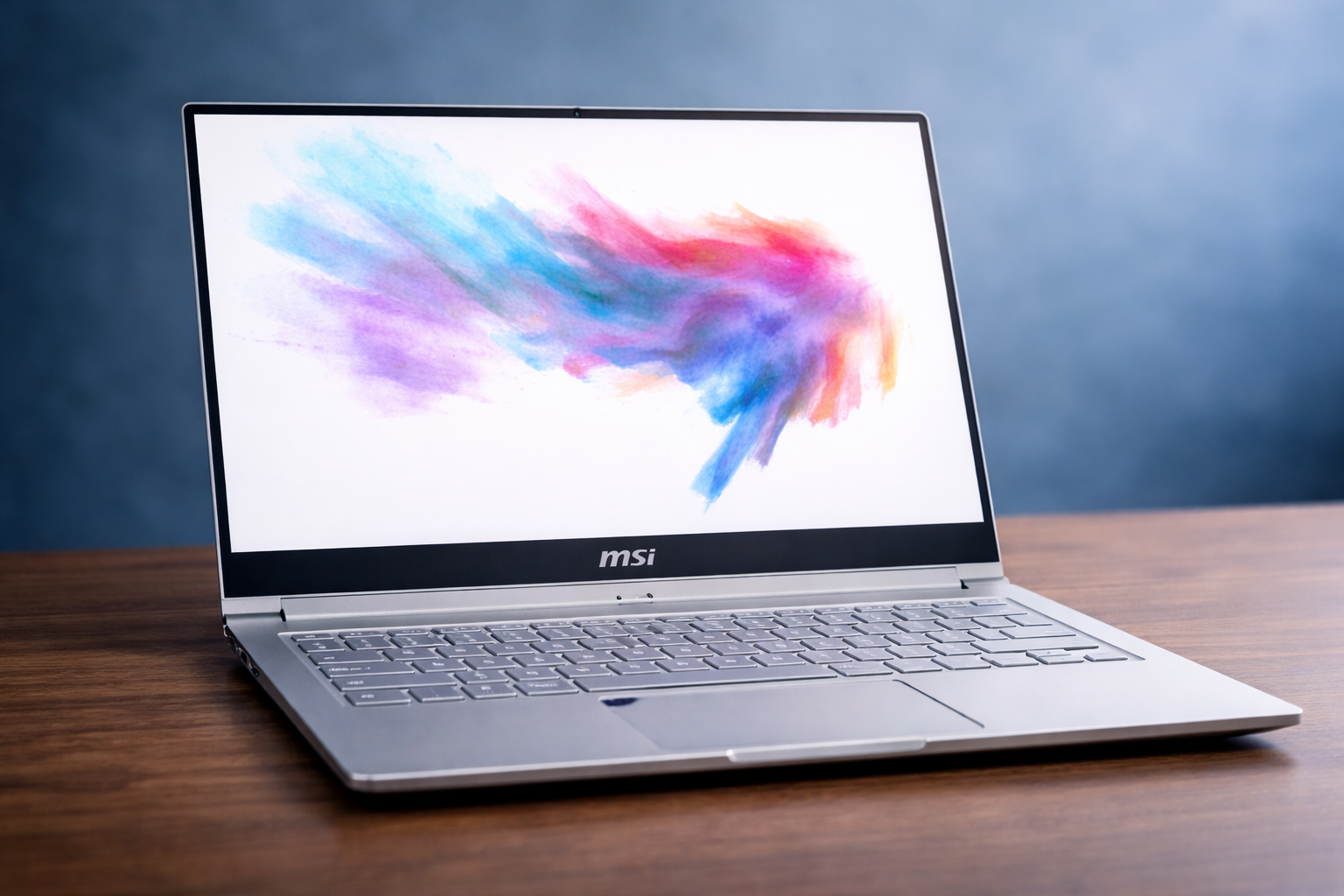
If you are researching the ps42, you are likely looking for a slim, premium laptop that balances power, portability, and price. Good news: you are asking the right questions.
The MSI Prestige PS42 carved out a loyal following by offering business-class design with creator-friendly performance, all in a lightweight chassis. While it is not MSI’s newest release, it remains relevant for students, professionals, and budget-conscious creators who want premium features without premium pricing.
This guide exists to help you decide whether the PS42 is still worth your money, what it does well, where it struggles, and who should actually buy it. You will get expert insight, real-world experience, and practical buying advice—no hype, no fluff.
What Is the PS42? (Quick Answer First)
The ps42 is a thin-and-light business laptop from MSI’s Prestige lineup, designed for productivity, portability, and light creative work.
It targets:
- Students
- Remote professionals
- Content creators on a budget
- Business travelers
In short, it is not a gaming laptop. It is a workhorse in a tuxedo.
What Are the Specs of the MSI Prestige PS42?
Direct answer:
The MSI Prestige PS42 typically features Intel Core i5 or i7 processors, NVIDIA MX graphics, up to 16GB RAM, and fast NVMe SSD storage.
Here is a clear breakdown of common configurations:
Core Specifications
- Processor: Intel Core i5-8250U or i7-8550U
- Graphics: NVIDIA GeForce MX150 / MX250
- RAM: 8GB or 16GB DDR4
- Storage: 256GB–512GB NVMe SSD
- Display: 14-inch Full HD (1920×1080) IPS
- Weight: ~2.6 lbs (1.2 kg)
- Battery: 50Wh
- Ports: USB-C, USB-A, HDMI, microSD
These specs explain why the msi prestige ps42 was popular among mobile professionals.
Design and Build Quality: Minimalist Done Right
MSI went all-in on clean design with the msi ps42.
The aluminum chassis feels sturdy, premium, and understated. No aggressive logos. No gamer angles. Just a professional look that works in coffee shops, offices, and classrooms.
Why Design Still Matters
- Slim bezels make the screen feel larger
- Lightweight body reduces travel fatigue
- Strong hinge design resists wobble
This laptop does not scream for attention. It quietly earns respect.
Display Quality: Good Enough for Real Work
Direct answer:
The PS42 display is sharp, color-accurate for everyday use, but not ideal for color-critical professionals.
Display Highlights
- Full HD resolution
- IPS panel for better viewing angles
- Anti-glare coating
Limitations
- Brightness is average
- Color gamut is modest
For writers, coders, and office users, it performs well. For professional photo editors, it is usable but not perfect.
Performance in Real-World Use
The ps42 shines in everyday productivity.
Excellent For
- Web browsing with many tabs
- Microsoft Office and Google Workspace
- Coding and development
- Light photo editing
- Light video editing
Not Ideal For
- Heavy 3D rendering
- Modern AAA gaming
- Intensive video production
The NVIDIA MX GPU helps with creative tasks, but it is not a replacement for dedicated creator GPUs.
Thermals and Noise: Surprisingly Controlled
MSI tuned the cooling system well.
- Fans stay quiet during normal use
- Heat remains manageable on the keyboard
- Throttling is minimal for daily workloads
Under sustained load, fans do spin up, but not aggressively. You will notice them, not hate them.
Keyboard and Trackpad Experience
Direct answer:
The PS42 keyboard is comfortable, responsive, and suitable for long typing sessions.
Keyboard Pros
- Good key travel
- Solid tactile feedback
- Backlit keys for low light
Trackpad Pros
- Smooth surface
- Accurate gestures
- Reliable palm rejection
If you write, code, or type a lot, this laptop will not punish your hands.
Battery Life: Realistic and Reliable
Battery life varies depending on usage, but expectations should stay realistic.
Typical Results
- 7–9 hours for light work
- 5–6 hours for mixed use
- Less for heavy workloads
For its size and age, battery performance remains respectable.
User Reviews: What Owners Actually Say
User feedback on the msi prestige ps42 has been consistent over time.
Common Praise
- Lightweight and portable
- Premium feel at a fair price
- Solid performance for productivity
Common Complaints
- Average speakers
- Limited upgradability
- Display brightness could be better
Most owners agree on one thing: it punches above its weight for everyday work.
Who Should Buy the PS42 in 2025?
You should consider the ps42 if you want:
- A portable productivity laptop
- A premium design without premium pricing
- Reliable performance for work and study
You should skip it if:
- You need top-tier creative performance
- You want a gaming laptop
- You require ultra-bright displays
This laptop rewards realistic expectations.
PS42 vs Modern Alternatives
Compared to newer ultrabooks, the PS42 still holds up surprisingly well.
Why It Still Competes
- Solid build quality
- Good keyboard
- Dedicated GPU advantage
Where It Falls Behind
- Older CPU architecture
- Fewer USB-C features
- No Thunderbolt on some models
However, pricing often makes it a smart value buy.
Upgrade and Longevity Considerations
RAM is often soldered, limiting upgrades. Storage is easier to upgrade.
That means:
- Choose higher RAM at purchase
- SSD upgrades are simple
- Long-term usability depends on your workload
For most users, it will age gracefully.
Brand Trust and Manufacturing Transparency
Some buyers care deeply about brand origin and manufacturing ethics.
If that matters to you, you may want to explore our detailed guide: Is MSI a Chinese company?
Understanding brand structure helps buyers make informed decisions.
Is the PS42 Good for Students and Remote Workers?
Yes, absolutely.
It is:
- Lightweight for commuting
- Quiet for shared spaces
- Powerful enough for coursework
Students appreciate its balance of portability and professionalism.
Is the PS42 Good for Content Creators?
For beginners and hobbyists, yes.
For professionals, maybe not.
It handles:
- Photo editing
- Light video timelines
- Design work
Just do not expect workstation-level performance.
Hidden Strengths Most Reviews Miss
Here is something many reviews overlook: thermal consistency.
The PS42 does not chase benchmarks. It focuses on stable performance, which matters more in real life.
Also, MSI’s business-class tuning prioritizes reliability over flashy numbers.
Is the PS42 Still Worth Buying Today? (Final Answer)
Direct answer:
Yes, the ps42 is still worth buying if you find it at the right price and need a premium productivity laptop.
It is not perfect. It is not flashy. It is dependable.
And sometimes, that matters more than anything else.
Why This Guide Helps You Decide
This article exists to save you time, money, and frustration.
You now understand:
- What the PS42 does well
- Where it falls short
- Who it is best for
That knowledge helps you buy smarter.
And smarter purchases always feel better.
Final Thoughts
The MSI Prestige PS42 is proof that good design and thoughtful engineering age well.
It may not be the newest kid on the block, but it still shows up, gets work done, and looks good doing it.
Not bad for a laptop that refuses to quit.